7  Data Wrangling & Visualization

7.1 Data Manipulation with Pandas

This presentation is prepared by Jinha.

7.1.1 What is Pandas?

  • Pandas is a Python library for data manipulation and analysis.
  • It is designed to work with structured or tabular data.
  • It provides flexible and efficient data structures.
  • It is widely used in data science and research.

7.1.2 Why is Data Manipulation Important?

  • Real-world data is often incomplete or inconsistent.
  • Datasets may contain missing values or duplicate entries.
  • Raw data is usually not ready for analysis.
  • Poor data quality can lead to incorrect conclusions.
  • Data manipulation improves accuracy and reliability.

7.1.3 Why Use Pandas for Data Manipulation?

  • Pandas provides powerful and intuitive tools for cleaning data.
  • It simplifies complex data operations into a few lines of code.
  • It is more efficient and scalable than spreadsheet software.
  • It integrates smoothly with other Python libraries.
  • It supports reproducible and automated workflows.

7.1.4 Core Concepts

7.1.4.1 DataFrame and Series

  • A DataFrame is a two-dimensional table with rows and columns.
  • A Series is a one-dimensional labeled array.
  • Each row represents an observation.
  • Each column represents a variable.
  • DataFrames allow us to perform operations across rows and columns.

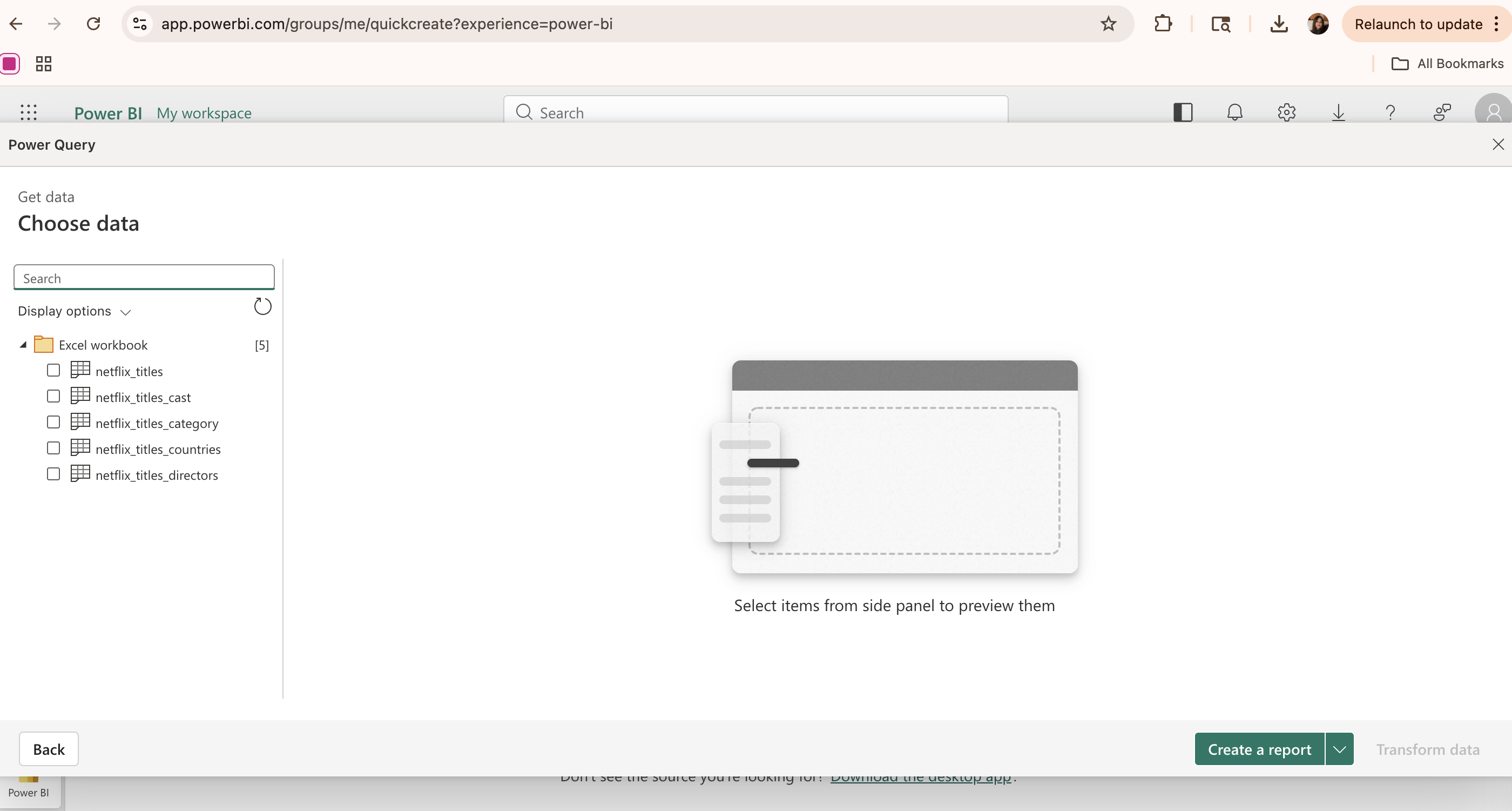
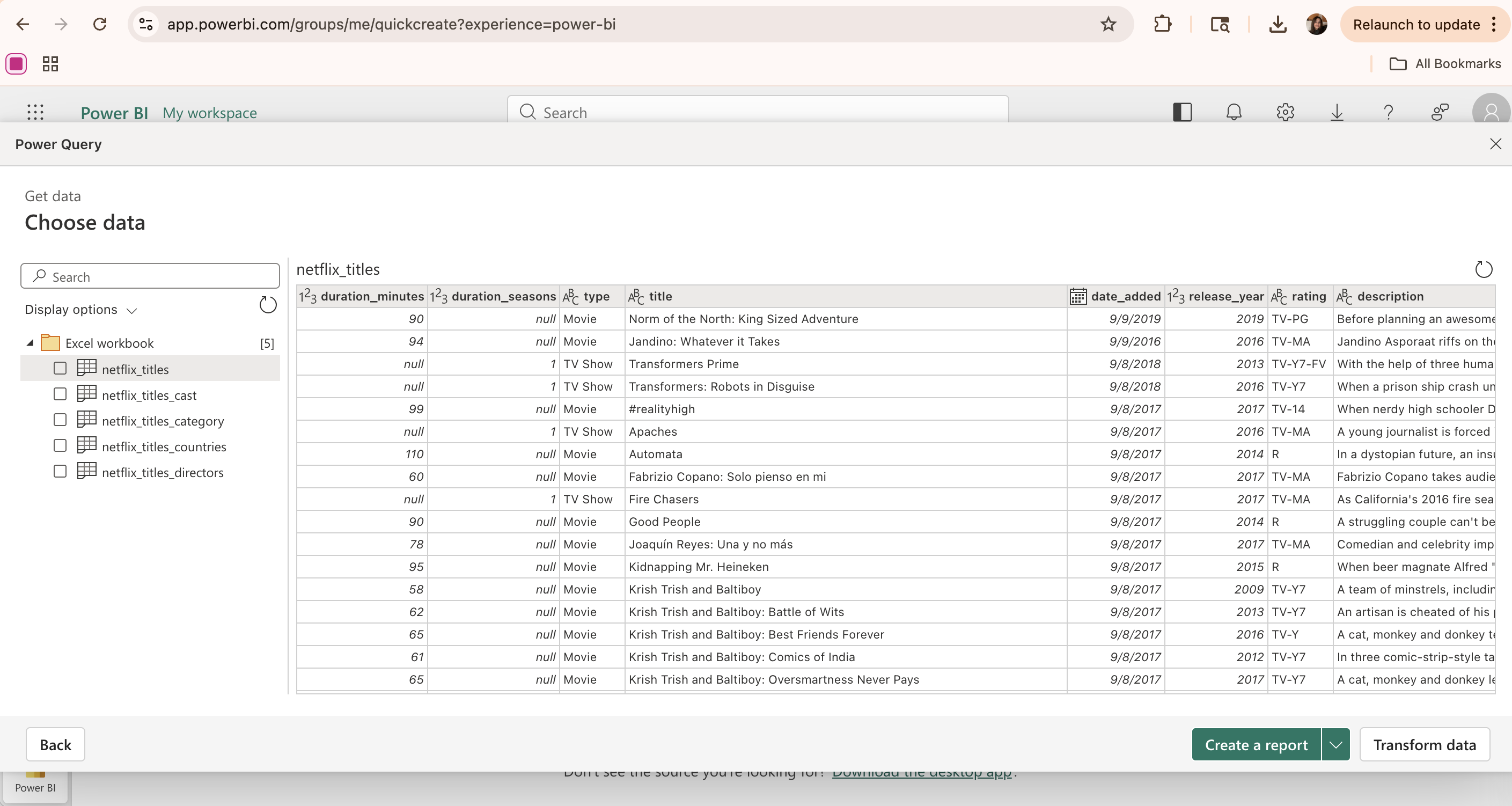
7.1.4.2 Importing Data

  • Pandas allows us to import data from various file formats.
  • The most common format is CSV.
  • After importing, the data is stored in a DataFrame.
import pandas as pd

df = pd.read_csv("data.csv")
df.head()

7.1.5 Key Operations

7.1.5.1 Selecting Data

  • Selecting allows us to focus on specific variables.
  • This reduces unnecessary complexity in the dataset.
  • It improves clarity and efficiency.
df["score"]

df[["age", "score"]]
  • ‘df[“score”]’ selects a single column.
  • ‘df[[“age”, “score”]]’ selects multiple columns.

7.1.5.2 Filtering Rows

  • Filtering allows us to select observations that meet specific conditions.
  • This is useful when we want to analyze a specific group.
  • For example, we may only want students above a certain score.
  • Filtering helps reduce noise in the dataset.
df[df["score"] > 80]
  • ‘df[df[“score”] > 80]’ selects rows where score is greater than 80.
  • We can also combine multiple conditions.
df[(df["score"] > 80) & (df["age"] > 18)]
  • ‘df[(df[“score”] > 80) & (df[“age”] > 18)]’ applies multiple conditions at the same time.

Filtering helps focus on relevant observations.

7.1.5.3 Grouping and Aggregation

  • Grouping allows us to divide data into categories.
  • Aggregation summarizes values within each group.
  • Common functions include mean, sum, and count.
df.groupby("gender")["score"].mean()

df.groupby("region")["sales"].sum()
  • ‘df.groupby(“gender”)[“score”].mean()’ groups data by gender and calculates the average score.

7.1.5.4 Handling Missing Data

  • Missing values are common in real datasets.
  • They must be handled before analysis.
  • Pandas provides built-in functions for detecting and treating missing data.
  • Unhandled missing values may bias statistical results.
df.isna().sum()

df.dropna()

df.fillna(0)
  • ‘df.isna()’ checks where missing values exist.
  • ‘df.dropna()’ removes rows with missing values.
  • ‘df.fillna(0)’ replaces missing values with a specified value (in this case, 0).

7.1.5.5 Sorting Data

  • Sorting helps organize data in ascending or descending order.
  • It is useful for identifying highest or lowest values.
df.sort_values("score", ascending=False)
  • ‘df.sort_values(“score”, ascending=False)’ sorts the dataset by score in descending order.

7.1.5.6 Common Mistakes in Data Manipulation

  • Ignoring missing values
  • Filtering too aggressively
  • Misinterpreting grouped results
  • Not checking for data types
  • Assuming the data is clean without verification

7.1.5.7 How to Avoid Common Mistakes

  • Always check for missing values before analysis
  • Filter carefully and review the remaining data
  • Verify group sizes when using groupby
  • Inspect data types using df.dtypes

7.1.6 Example Workflow

7.1.6.1 From Raw Data to Summary

  1. Load the dataset.
  2. Inspect the structure of the data.
  3. Handle missing values.
  4. Filter relevant observations.
  5. Group and summarize results.
df = pd.read_csv("data.csv")

df = df.dropna()

filtered = df[df["score"] > 80]

summary = filtered.groupby("gender")["score"].mean()

summary

7.1.7 Why Pandas Is Important

7.1.7.1 Applications

  • Data preprocessing
  • Exploratory data analysis
  • Preparing datasets for machine learning
  • Academic research and industry analytics

Pandas is typically the first step in a data science workflow, as it allows us to clean and prepare our data for further analysis.

7.1.8 Conclusion

7.1.8.1 Summary

This presentation covered:

  • The role of Pandas in data manipulation and analysis
  • How Pandas works with structured tabular data
  • Key operations such as selecting, filtering, grouping and handling missing values
  • Common mistakes and best practices in data manipulation

Effective data manipulation leads to more reliable and accurate analysis, which is crucial for making informed decisions based on data.

7.1.8.2 Further Reading

For more information about Pandas:

Thank you for reading.

7.2 Grammar of Graphics

This presentation was prepared by Joseph Landolphi.

This presentation explains what the Grammar of Graphics is, why it is important in modern data science, and how it is used in sports analytics such as baseball.

7.2.1 Introduction

Data visualization is a fundamental part of modern data science. Analysts must interpret large datasets and communicate insights clearly. Instead of thinking about visualization as simply choosing a chart type, the Grammar of Graphics provides a structured framework for building visualizations from components.

7.2.2 What is the Grammar of Graphics?

The Grammar of Graphics was introduced by Leland Wilkinson and describes visualization as a layered system. Rather than asking “what chart should I use?”, analysts ask:

  • What data am I using?
  • What variables should be mapped to visual properties?
  • What geometric shapes should represent observations?
  • What scales and coordinate systems improve interpretation?

This approach makes visualization systematic and reproducible.

7.2.3 Why the Grammar of Graphics Matters in Modern Data Science

Key benefits include:

  • Structured thinking about visualization
  • Reproducibility
  • Ability to layer information
  • Scalability for large datasets
  • Integration into dashboards and automated workflows

Many modern visualization libraries are influenced by this framework.

import numpy as np
import pandas as pd
import matplotlib.pyplot as plt

np.random.seed(42)

data = pd.DataFrame({
    "exit_velocity": np.random.normal(90, 5, 300),
    "launch_angle": np.random.normal(15, 10, 300),
    "hit_distance": np.random.normal(380, 30, 300),
})

data.head()
exit_velocity launch_angle hit_distance
0 92.483571 6.710050 402.709658
1 89.308678 9.398190 352.335040
2 93.238443 22.472936 406.088178
3 97.615149 21.103703 420.669136
4 88.829233 14.790984 392.403047

7.2.4 Component 1: Data

Every visualization begins with a dataset.

Modern baseball tracking systems collect variables such as:

  • Exit velocity
  • Launch angle
  • Hit distance
  • Pitch location
  • Player identity

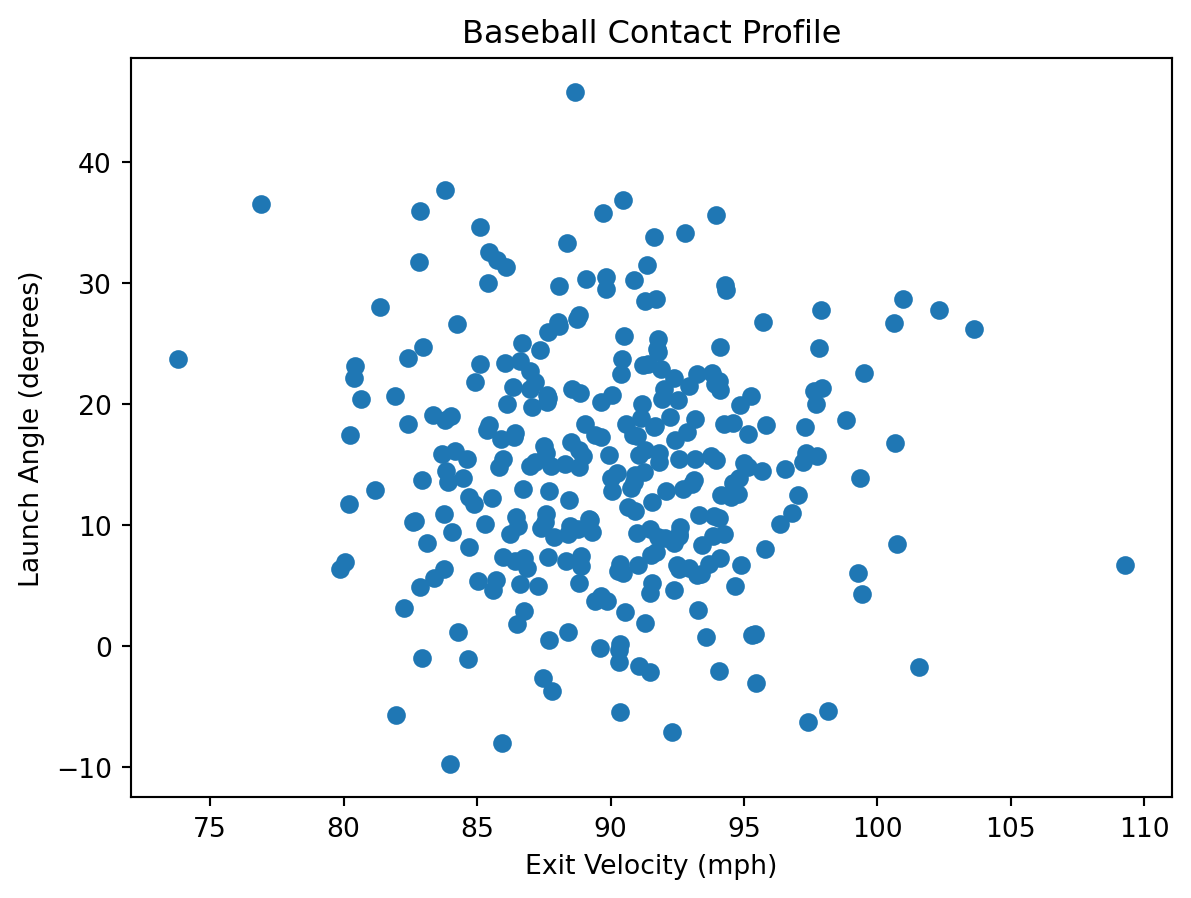
These variables form the foundation of visual analysis.

plt.figure()
plt.scatter(data["exit_velocity"], data["launch_angle"])
plt.xlabel("Exit Velocity (mph)")
plt.ylabel("Launch Angle (degrees)")
plt.title("Baseball Contact Profile")
plt.show()

7.2.5 Component 2: Aesthetic Mappings

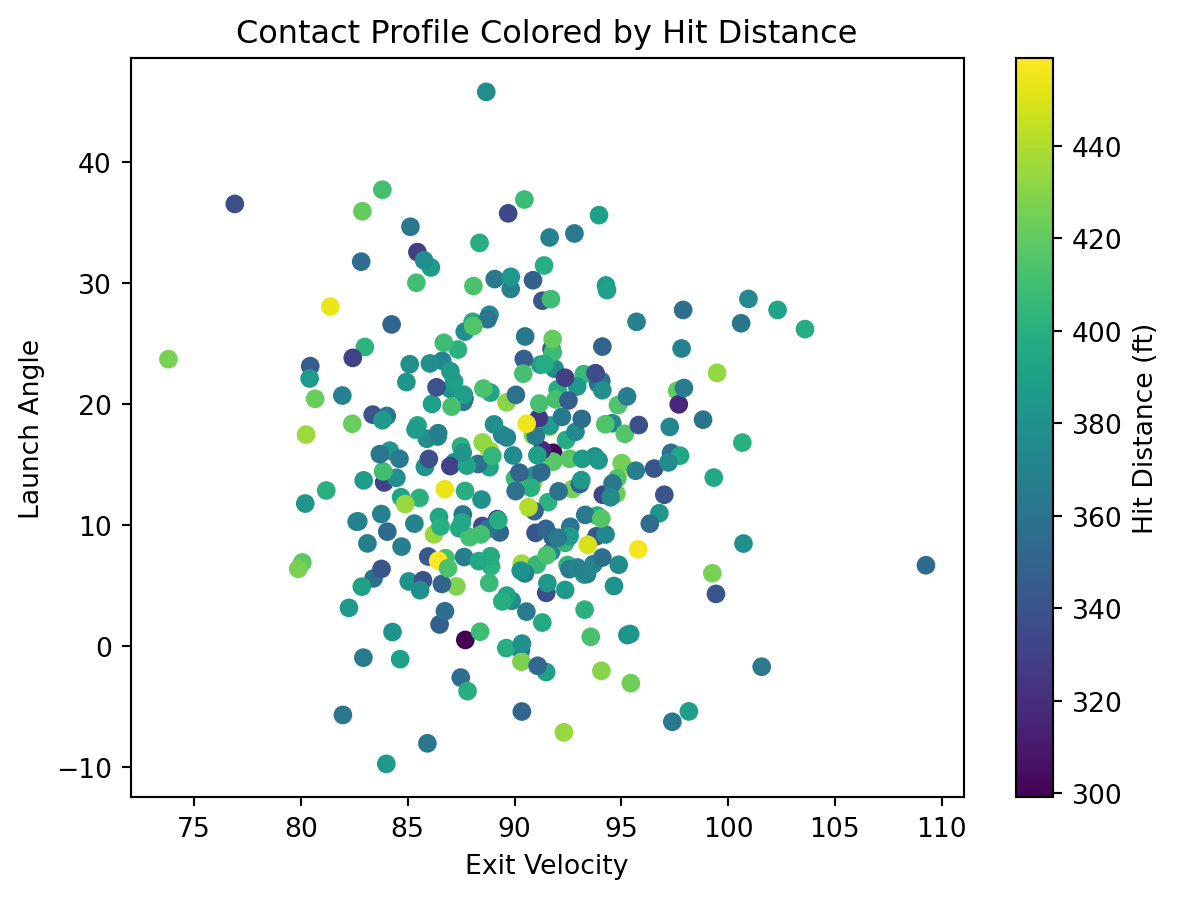
Aesthetic mappings connect data variables to visual properties such as:

  • Position
  • Color
  • Size

In this example:

  • Exit velocity is mapped to the x-axis
  • Launch angle is mapped to the y-axis

Each point represents a batted ball.

plt.figure()
plt.scatter(
    data["exit_velocity"],
    data["launch_angle"],
    c=data["hit_distance"],
)
plt.xlabel("Exit Velocity")
plt.ylabel("Launch Angle")
plt.title("Contact Profile Colored by Hit Distance")
plt.colorbar(label="Hit Distance (ft)")
plt.show()

7.2.6 Component 3: Scales

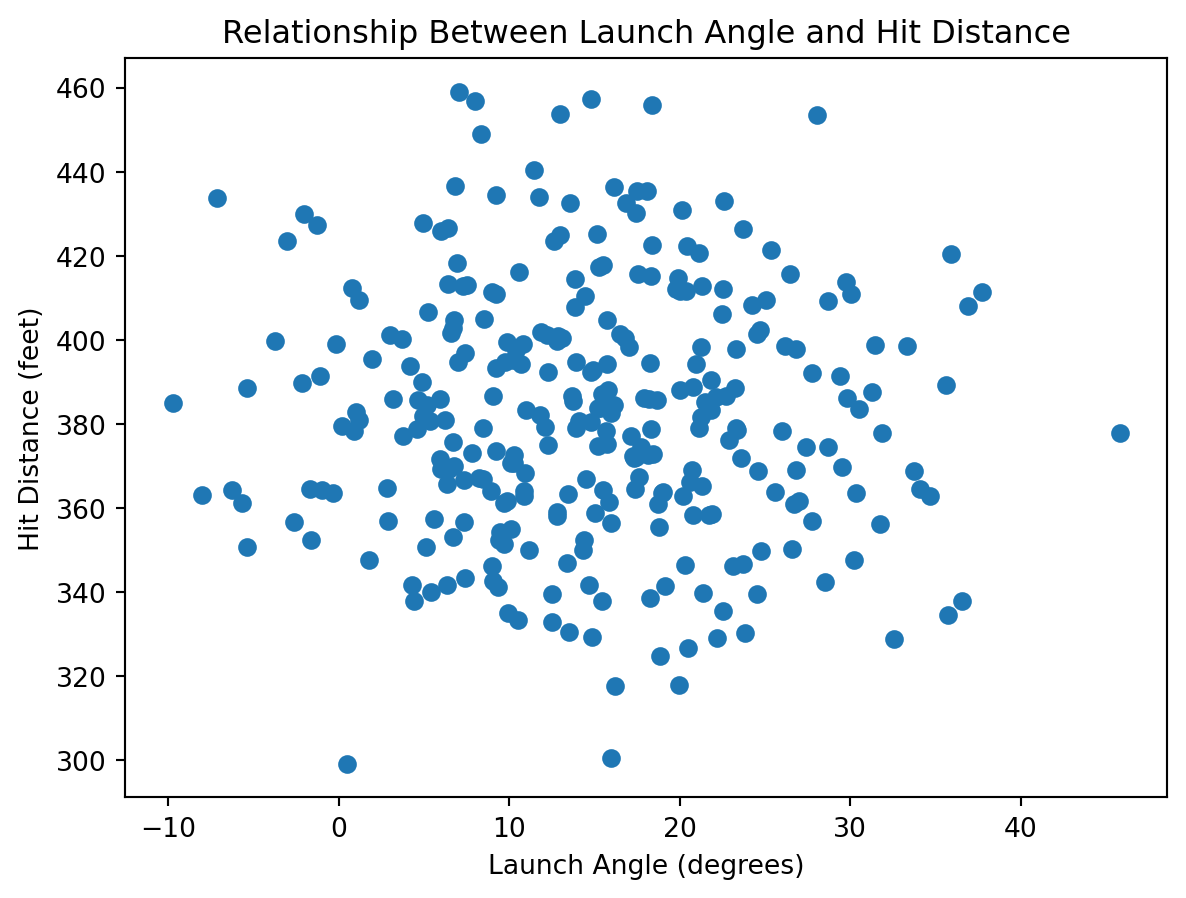
Scales determine how data values are translated into visual values.

Here, hit distance is represented using a color gradient. This allows multiple variables to be displayed simultaneously, increasing information density.

plt.figure()
plt.scatter(data["launch_angle"], data["hit_distance"])
plt.xlabel("Launch Angle (degrees)")
plt.ylabel("Hit Distance (feet)")
plt.title("Relationship Between Launch Angle and Hit Distance")
plt.show()

7.2.7 Component 4: More Plot Objects

Geometric objects define the shapes used to represent data.

Examples include:

  • Points for scatter plots
  • Bars for comparisons
  • Lines for trends

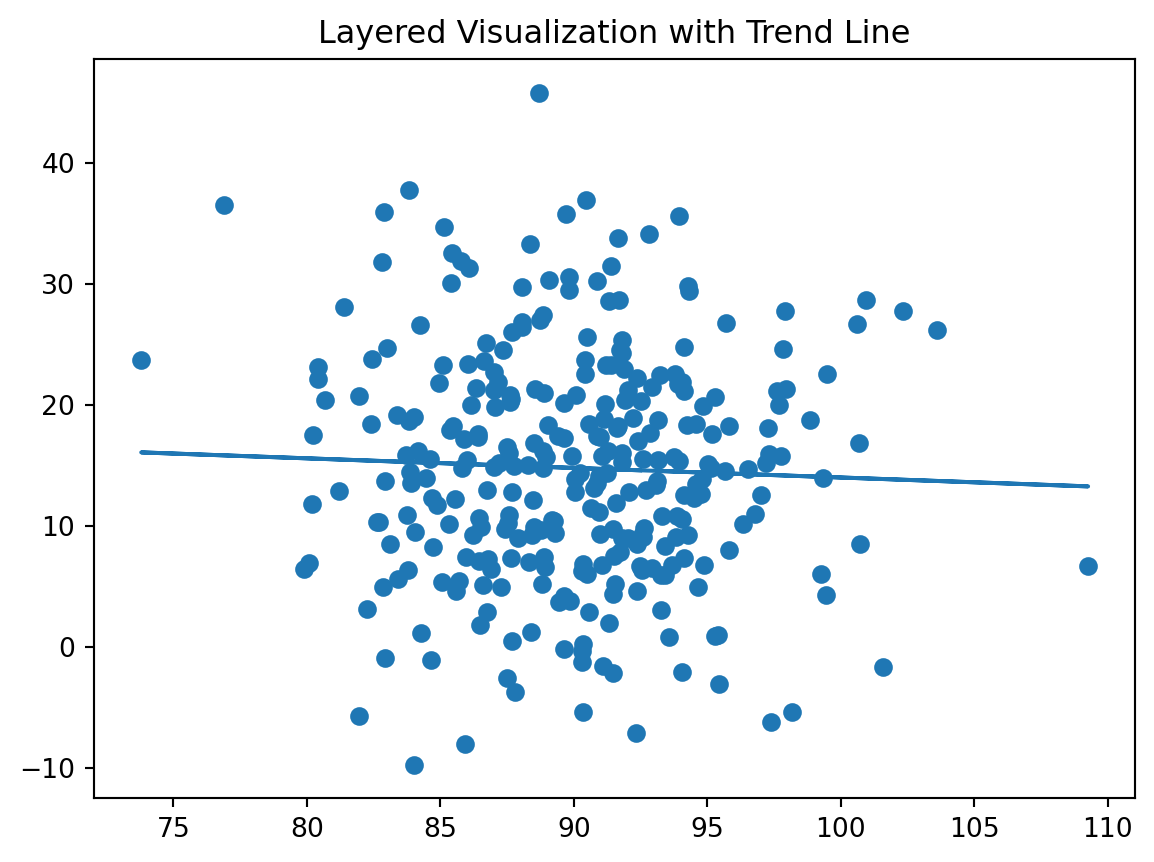
This example adds a trend line to the raw observations.

x = data["exit_velocity"]
y = data["launch_angle"]

plt.figure()
plt.scatter(x, y)

z = np.polyfit(x, y, 1)
p = np.poly1d(z)

plt.plot(x, p(x))
plt.title("Layered Visualization with Trend Line")
plt.show()

7.2.8 Component 5: Layering

One of the most powerful ideas in the Grammar of Graphics is layering.

Visualizations can combine:

  • Raw observations
  • Statistical summaries

This allows deeper insight into relationships between variables.

import plotly.express as px

fig = px.scatter_3d(
    data,
    x="exit_velocity",
    y="launch_angle",
    z="hit_distance",
    title="Interactive 3D Scatter Plot",
    opacity=0.8,
)

fig.show()
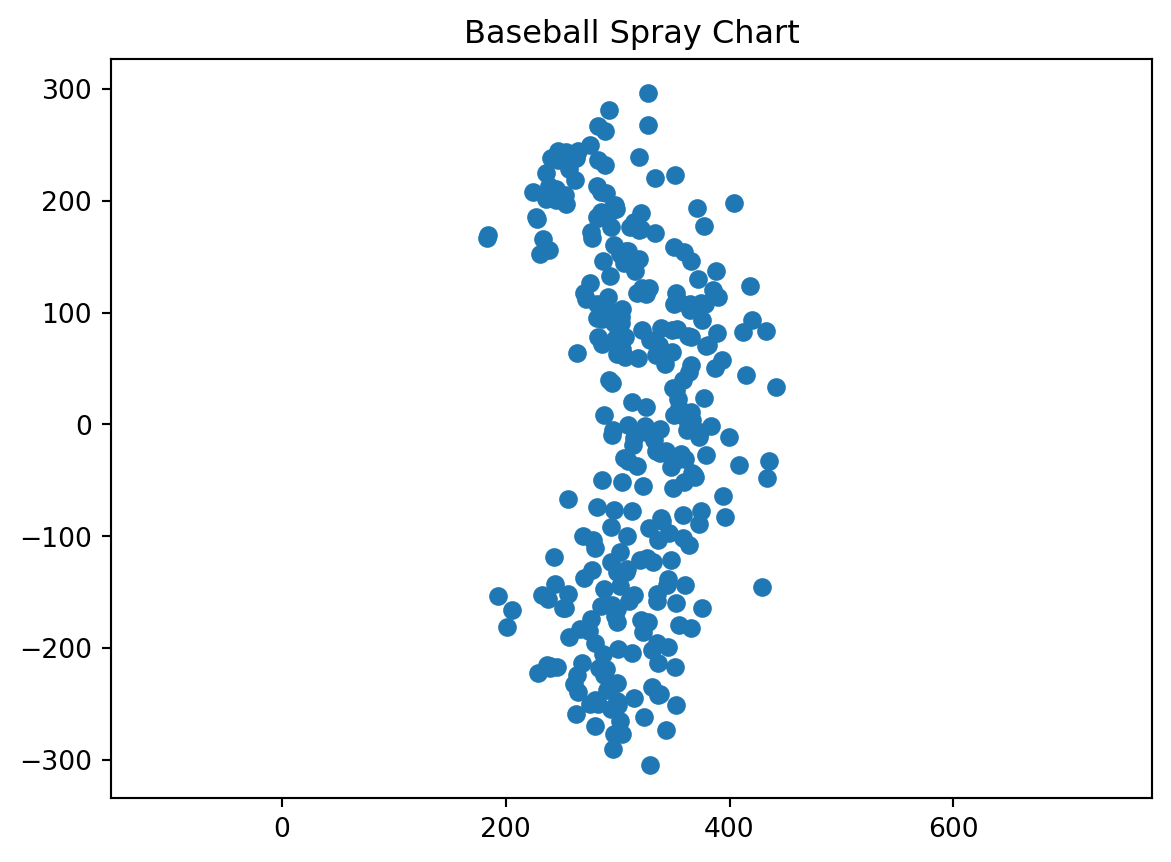
angle = np.random.uniform(-45, 45, 300)
distance = np.random.normal(350, 40, 300)

x = distance * np.cos(np.radians(angle))
y = distance * np.sin(np.radians(angle))

plt.figure()
plt.scatter(x, y)
plt.title("Baseball Spray Chart")
plt.axis("equal")
plt.show()

7.2.9 Component 6: Coordinate Systems

Coordinate systems determine how data are positioned in space.

In baseball analytics, spray charts help analysts study:

  • Hitting tendencies
  • Defensive positioning
  • Player development
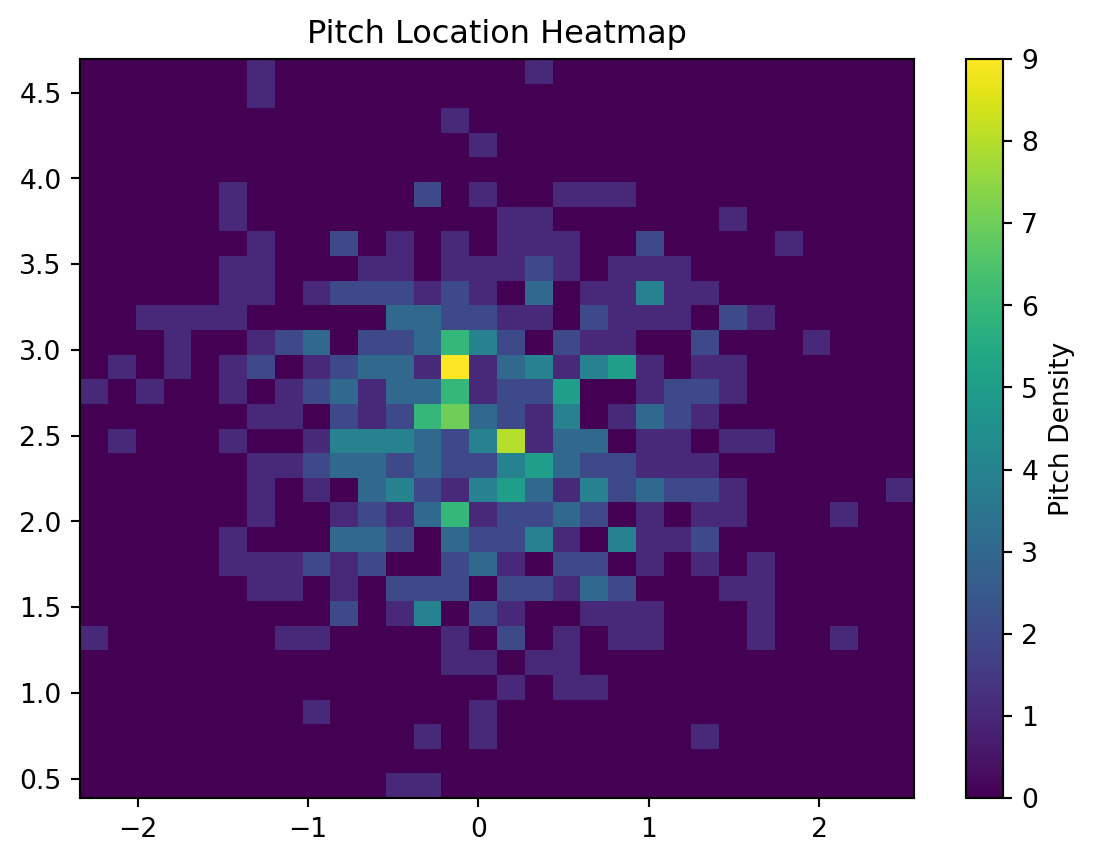
pitch_x = np.random.normal(0, 0.8, 500)
pitch_y = np.random.normal(2.5, 0.7, 500)

plt.figure()
plt.hist2d(pitch_x, pitch_y, bins=30)
plt.colorbar(label="Pitch Density")
plt.title("Pitch Location Heatmap")
plt.show()

7.2.10 Modern Baseball Analytics Application

Heatmaps like this are used to analyze:

  • Pitch tendencies
  • Strike zone control
  • Batter weaknesses

Grammar of Graphics principles allow teams to build consistent visual tools for decision-making.

7.2.11 Conclusion

The Grammar of Graphics provides a structured framework for building visualizations.

7.2.11.1 Key Takeaways

  • Visualizations are built from modular components
  • Data variables are mapped into visual aesthetics
  • Geometric objects represent observations
  • Layering increases analytical depth
  • This framework is widely used in modern data science and sports analytics

By using these principles, analysts can transform complex datasets into actionable insights.